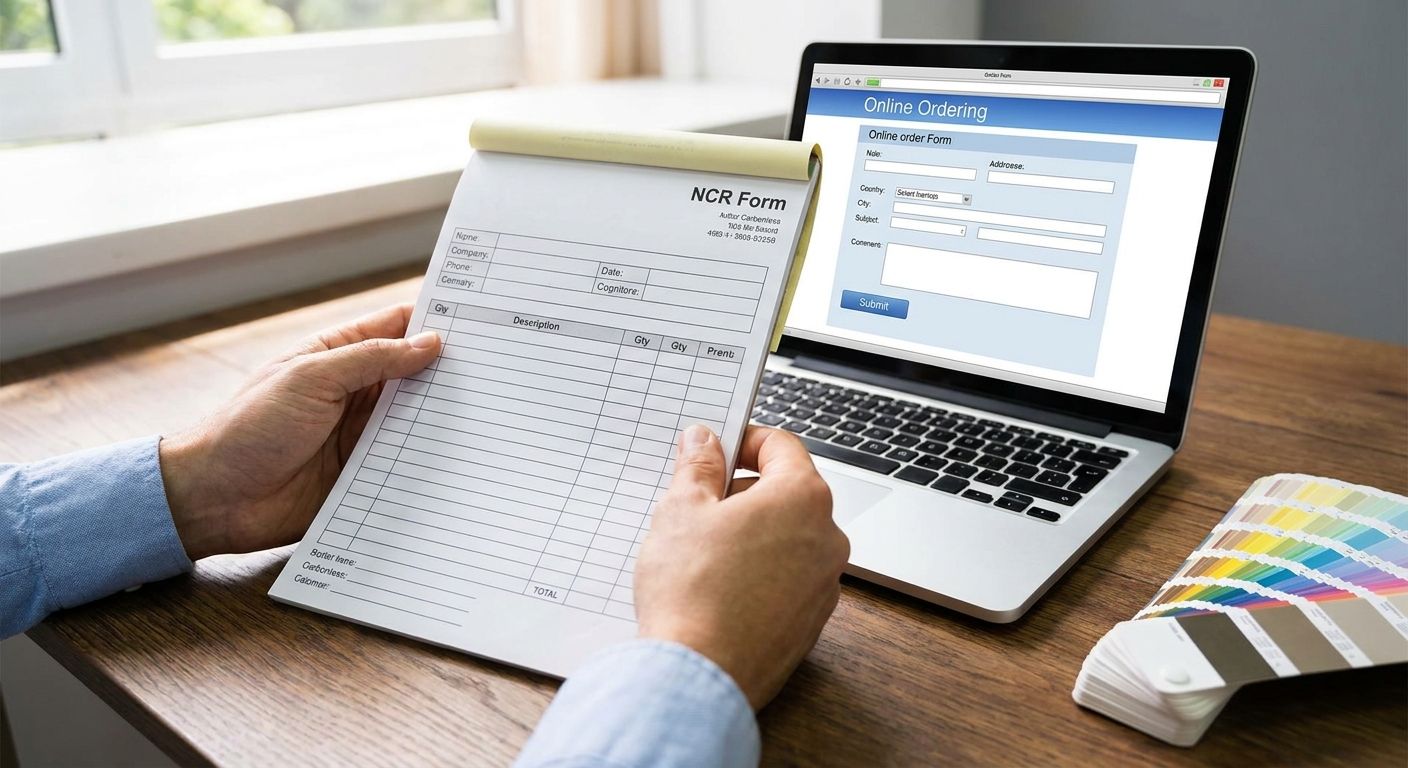
Order custom NCR carbonless forms that print clearly by building the file in vector artwork, keeping every rule and line at 0.5pt or heavier, and setting the file to CMYK before it goes to print. The catch most people miss: the white top sheet almost always looks fine in a proof, but canary, pink and goldenrod under-sheets hold less ink density, so hairline text and thin logo strokes that read perfectly on the top copy fade or blur on the second, third or fourth part.
- For how to order NCR forms, submit vector artwork or a print-ready PDF with 0.5pt+ rules in 2026.
- 2-part forms suit receipts and work orders; 3-part and 4-part suit invoices needing internal, customer and file copies.
- Colored under-sheets (canary, pink, goldenrod) hold less ink than white, so thin lines and small text blur first on those copies.
- Always request a proof of the bottom part, not just the top sheet, before approving the full run.
- Print Fast quotes NCR jobs on part count, numbering and quantity through a custom quote request.
Why this matters
A bad NCR business form doesn't fail at the printer. It fails weeks later, when a client tries to read the goldenrod carbon copy of an invoice and the fine print is a grey smudge. Multi-part forms get handed off, filed, and read by people who never see the original — so print clarity on every part, not just the top, decides whether the form actually works.
The forms that hold up in 2026 share the same three traits: bold line weights, solid CMYK fills, and a part count matched to how the paperwork actually moves through the business. Get those three right and the rest is mostly logistics.
How to order NCR forms that print clearly
Follow these steps in order, and don't skip the proof step even if the job is a repeat order.
- Pick your part count. Two-part for a single copy, three-part for internal/customer/file, four-part for jobs that route through multiple departments.
- Choose the color sequence. Standard industry order is white, canary, pink, goldenrod — keep it in that sequence so anyone handling the form knows which copy is which.
- Build the artwork in vector, not raster. Illustrator or InDesign files hold sharp edges through NCR form printing. Export a print-ready PDF with fonts embedded; scanned or rasterized logos lose definition on coloured stock.
- Set every rule to 0.5pt or heavier. Hairline rules under that weight are the number-one reason bottom copies come out patchy.
- Use CMYK for full-colour NCR printing. RGB and spot colours shift unpredictably on carbonless stock and print differently than they preview on screen.
- Add sequential numbering if you need tracking — receipts, work orders and audit-trail paperwork usually need it; simple internal forms often don't.
- Choose the finishing format: loose sets for immediate separation, glued pads for desk use, or carbonless invoice books with wrap-around covers for forms that travel.
- Request a proof of the bottom part, then confirm quantity and turnaround through a custom quote before the full run goes to press.
For businesses that also hand off paperwork in a folder — closing documents, client files, signed contracts — pairing an NCR order with presentation folders for accountants keeps the whole package looking put-together instead of loose sheets in an envelope.
2-part NCR forms: duplicate forms for receipts and work orders
Two-part NCR forms are duplicate forms: one copy for the customer and one for the file. They're the right call when the paperwork doesn't need to travel past a second desk — receipts, simple work orders, basic delivery slips. Buy 2-part when the transaction has one internal step after the customer walks away.
3-part NCR forms: triplicate invoice books and service forms
Three-part NCR forms are the standard triplicate format for invoices and service tickets, because it matches how most small businesses actually process paperwork: a copy goes to the customer, one stays with the technician or salesperson, and one lands in the file. Law firms use this configuration heavily for engagement letters and billing records, which is why presentation folders for law firms often ship alongside a 3-part NCR order for client intake. Buy 3-part when three different people or departments each need their own copy.
4-part NCR forms: best for multi-department paperwork
Four-part sets exist for jobs where paperwork has to move through more than three hands before it's done — real estate closings that touch the agent, the brokerage, the lawyer and the client file, or multi-step service contracts. Four-part costs more per set than 2-part or 3-part, so it only makes sense when the extra copy replaces a photocopier trip. Buy 4-part only when you can name the fourth recipient; otherwise 3-part covers it.
Why NCR print quality varies
- NCR paper colour and coating absorbency — canary, pink and goldenrod sheets carry less visible ink density than white, so anything thin fades first on those parts.
- Line weight and font size — rules under 0.5pt and body text under 7pt are the most common source of illegible bottom copies.
- Color mode — RGB and spot-color files shift on carbonless stock in ways CMYK doesn't.
- Print method — digital and offset carbonless runs behave differently at the fine-detail level; confirm which method your printer uses before finalizing hairline elements.
- Numbering placement — inconsistent numbering position across parts makes multi-copy sets harder to reconcile later.
- Solid fill coverage — heavy black boxes or logos can bleed slightly on colored under-sheets if the file wasn't built with that stock in mind.
“If the top sheet reads perfectly but the third copy looks grey, the file wasn't built for carbonless stock.”
Get a quote for your NCR run
Confirm part count, numbering and turnaround before the job goes to print.
Related questions
How are NCR forms printed?
NCR forms are printed on pressure-sensitive carbonless paper in two or more collated parts, then finished as loose sets, glued pads or booklets. Clear NCR form printing depends on vector or print-ready PDF artwork, rules at 0.5pt or heavier, CMYK colour and the correct sheet sequence.
What size are NCR forms usually printed?
Most NCR forms run at standard letter size (8.5" x 11") or half-letter (5.5" x 8.5"), matched to how the form will be filled out and filed. Half-letter suits receipt books and short work orders; full letter suits invoices with itemized line detail.
Can NCR forms be numbered automatically?
Yes, sequential numbering is standard on multi-part forms used for receipts, invoices and work orders that need an audit trail. Numbering is added during file setup or prepress and should appear in the same position on every part of the set.
FAQ
Order NCR forms from Print Fast: NCR forms at PrintFast.ca — same-day and 24-hour turnaround in Toronto.
What does NCR mean on a printed form?
NCR stands for No Carbon Required — a carbonless paper coating that transfers handwriting or pressure from the top sheet to the copies underneath without carbon paper. It's the standard method for multi-part receipts, invoices and work orders in 2026.
How many parts do NCR forms usually come in?
NCR forms typically come in 2-part, 3-part or 4-part sets, matched to how many people or departments need their own copy. 2-part covers a simple customer/file split; 3-part and 4-part add internal or department copies.
What paper colors are standard for NCR forms?
The standard color sequence is white, canary, pink and goldenrod, in that order from top to bottom of the set. Sticking to the standard sequence makes it easier for staff to identify which copy belongs to which recipient.
Do NCR forms need special file setup?
Yes, NCR files need vector artwork, line weights of 0.5pt or heavier, and CMYK color mode to reproduce clearly across every part of the set. Files built like a standard flyer often print thin lines and small text that blur on the colored under-sheets.
Can NCR forms be numbered automatically?
Yes, sequential numbering is added during prepress and prints consistently across every part of the set. It's standard for receipts, invoices and any paperwork that needs an audit trail.
What's the difference between glued and wrap-around NCR pads?
Glued pads bind at the top edge and sit on a desk for repeated use; wrap-around covers protect the set when the form travels between locations. Loose sets skip binding entirely for jobs that get separated immediately after use.
Can I print my own carbonless forms?
You can print blank NCR paper with compatible equipment, but the coated sheets must be collated in the correct sequence and registration must stay consistent. Commercial NCR form printing is the safer route for numbered carbon copy forms and multi-part business forms in 2026.
Is rush printing available for NCR forms?
Turnaround depends on part count, quantity and numbering requirements, so confirm timing on a custom quote before ordering. Businesses ordering rush print jobs in the GTA typically request same-day or 24-hour options for standard print categories.
One last thing
Most NCR jobs that come back wrong in 2026 weren't approved on a bad proof — they were approved on the wrong proof. Designers and print shops routinely send a proof of the white top sheet only, because that's the easiest part to render and check on screen. Ask specifically to see a printed proof of the bottom copy before signing off on a full run; that single request catches the ink-density problem before it turns into 500 unreadable invoices.