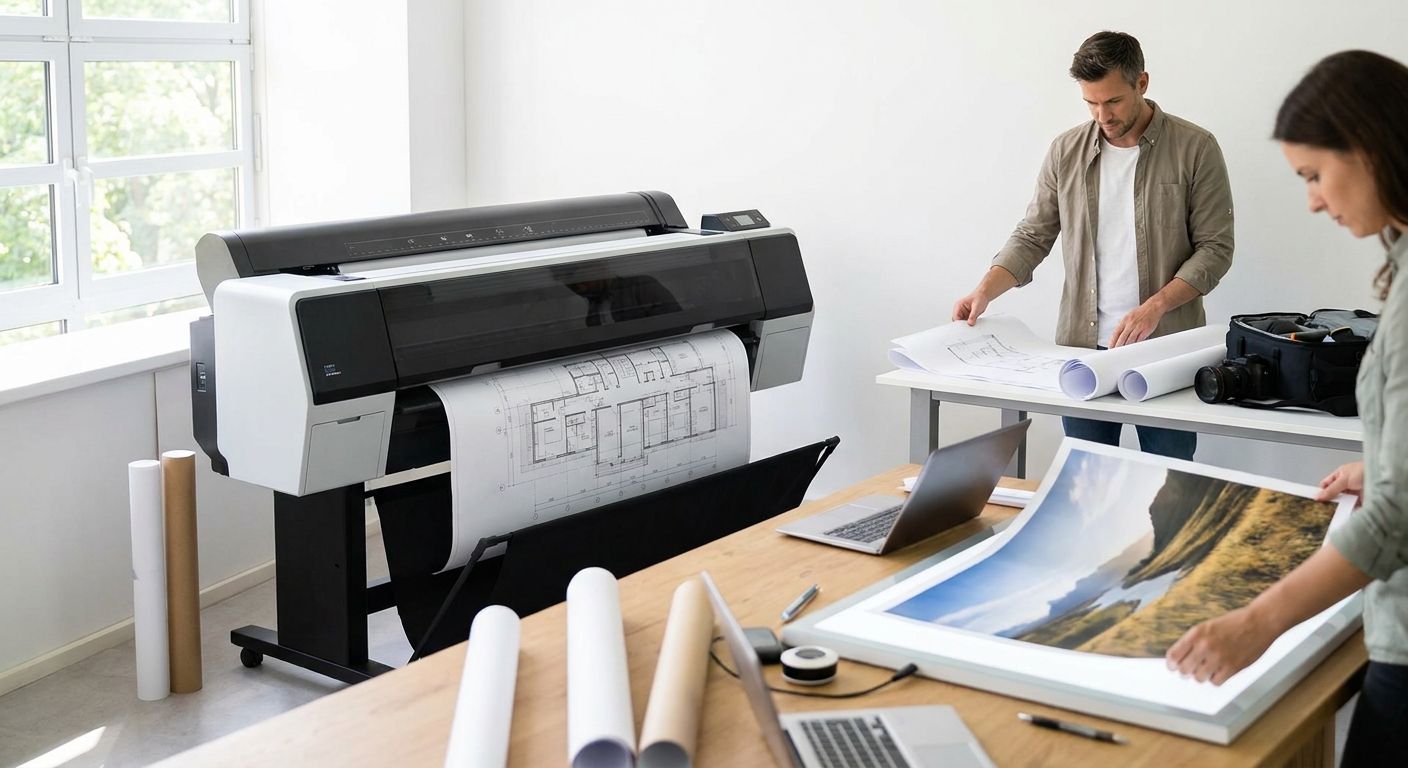
Large format printing for architects and photographers means producing oversized, presentation-grade output — site plan banners, exhibition photo prints, client pitch boards, trade show backdrops — at a scale no desktop printer or standard 8.5x11 sheet can touch. Architects need dimensional accuracy and crisp line work at 24x36 or larger; photographers need color-accurate, high-resolution prints that hold detail from three feet away and from across a gallery room. Both groups are printing to be judged, not just read.
- Large format printing for architects and photographers covers banners, boards and photo prints from 18x24 up to full wall-size panels.
- Print Fast offers same-day and 24-hour turnaround on large format jobs for Toronto and GTA studios and firms.
- Rigid foam board suits pitch presentations; roll-up banners suit trade shows; fabric backdrops suit photo events.
- File resolution below 150 DPI at final print size is the single most common reason large format prints come back blurry.
- Custom quotes beat flat pricing for large format work because substrate, size and finishing all move the cost.
Why large format printing matters for architects and photographers
An architect walking into a client meeting with a curled, low-res printout of a rendering loses credibility before the pitch starts. A photographer hanging a soft, banded print at a show loses sales before a single viewer stops. Large format printing is the last mechanical step between finished work and how a client, juror or buyer actually experiences it — and it's the step most freelancers under-plan for.
Both segments share one constraint the general small-business market doesn't: deadline-driven, one-shot output. A submission date or an opening night doesn't move because a file wasn't ready. That's why turnaround and file-prep guidance matter more here than for a shop reprinting flyers weekly.
The one-sentence verdict: large format printing for architects and photographers succeeds or fails at the file-prep stage, not the print stage — get resolution and color profile right and the substrate choice becomes the only real decision left.
Set your file resolution and color profile first
Most large format printing complaints trace back to a file built for screen, not print. A rendering that looks sharp at 100% zoom on a monitor can print soft and pixelated at 36 inches wide.
- Build files at 150-300 DPI at the final print size, not a scaled-down proxy
- Convert RGB screen files to CMYK before sending them to print — colors shift, and catching it early avoids a reprint
- Flatten layered PDF or PSD files to avoid font substitution errors
- Embed all fonts or convert text to outlines for architectural drawings and title blocks
- Photographers should soft-proof against the printer's color profile, not rely on monitor calibration alone
- Keep a 0.25-inch bleed on any file that reaches the panel edge
Pick a substrate that matches the presentation, not just the image
Architects and photographers use different materials for very different reasons, and picking the wrong one undercuts an otherwise strong print.
- Rigid foam board — for pitch boards and jury presentations that need to stand upright without a frame
- Vinyl banner material — for construction site signage, groundbreakings and outdoor exhibition
- Photo paper (satin or matte) — for gallery prints and portfolio pieces judged up close
- Fabric — for trade show backdrops and step-and-repeat walls that need to fold and travel
- Foam-backed gator board — for repeat-use presentation panels that get handled often
Choose a size that fits the room, not just the file
Oversizing a print for the space it'll actually occupy is a common, expensive mistake.
- Measure the display wall, easel or booth space before ordering, not after
- Standard architectural boards run 24x36 or 30x40 — confirm which juries or clients expect
- Photography show prints commonly run 16x20 to 24x36 for wall display, larger for statement pieces
- Trade show backdrops typically match booth width — an 8-foot or 10-foot pop-up frame
- Leave margin for framing or mounting hardware in your size calculation
Decide between rigid mounting and roll printing
Mounted prints look more finished; rolled prints travel and store easier. The choice depends on how many times the piece gets used.
- Rigid mounts suit single-use client pitches and permanent office display
- Roll prints suit anything shipped, shown at multiple venues, or swapped seasonally
- Roll-up banner stands work well for architects doing multiple site presentations across a season — see roll-up banners for trade shows for stand and material options
- Lamination adds scratch resistance to rolled prints that get handled repeatedly
- Foam board mounting adds rigidity but limits reuse to a single event
Plan lamination and finishing before the deadline, not after
Finishing adds a production step — build it into the timeline instead of discovering it the day before a pitch.
- Matte laminate cuts glare under gallery or office lighting
- Gloss laminate boosts photo saturation but shows fingerprints and glare
- UV coating protects outdoor banners from fading over multi-week installs
- Grommets or pole pockets are needed for any banner that hangs outdoors — confirm this before printing, not during install
- Rounded corners reduce damage risk on boards that get carried in and out of meetings repeatedly
Build in turnaround time for last-minute revisions
File revisions happen right up to a deadline in both fields — a client asks for one more rendering angle, a photographer swaps a hero image. Plan the schedule around that reality.
- Confirm the shop's cutoff time for same-day large format orders before you need it
- Keep a backup low-res version approved and ready in case the final file isn't done in time
- Order proofs digitally when the print run is large enough to justify the extra step
- Ask about 24-hour rush options for jobs that miss the same-day cutoff
- Build a buffer day into any submission-linked deadline — juries don't grant extensions for print delays
When the deadline is genuinely tight, this is where a same-day or 24-hour print partner earns its keep. Print Fast runs 1-hour, same-day and 24-hour large format printing out of Toronto with local delivery, which covers the gap between "file's ready" and "presentation's tomorrow morning."
Get a Large Format Quote
Same-day and 24-hour turnaround for banners, boards and photo prints in the GTA.
Comparing large format print options
| Print type | Best for | Key limitation |
|---|---|---|
| Rigid foam board | Jury and client pitch boards | Doesn't roll — needs box or flat transport |
| Vinyl banner | Outdoor site signage, groundbreakings | Needs grommets or pole pockets for hanging |
| Photo paper print (satin/matte) | Gallery and portfolio display | Not weatherproof without lamination |
| Fabric backdrop | Photo events, step-and-repeat walls | Needs a frame or stand to display |
| Roll-up banner stand | Repeat-use trade show and site displays | Higher upfront setup than a flat print |
Verdict: rigid foam board wins for one-off architecture pitches, fabric backdrops win for repeat photography events, and roll-up banner stands win for anyone presenting at multiple locations across a season.
Common mistakes architects and photographers make
- Sending screen-resolution files for wall-size output — a rendering that's crisp on a laptop turns soft at 30x40 without a resolution check
- Skipping the CMYK conversion — RGB files print duller and shift color, which is worse for photographers than for anyone else in this list
- Ordering the wrong finish for the room — gloss laminate under fluorescent gallery lighting creates glare that hides the image
- Underestimating install time — outdoor banners and trade show backdrops need grommets, poles or frame hardware ordered alongside the print, not after
- Waiting until the week of the deadline — large format printing for architects and photographers is a poor category to rush without a same-day option already lined up
For photographers building out event-based work, a matching backdrop banner for photo booths and events keeps branding consistent across every shoot, not just the print in the frame.
FAQ
What resolution do I need for large format printing?
Build files at 150-300 DPI at the actual final print size, not a scaled-down file. A 36-inch wide print viewed up close needs the higher end of that range; a banner viewed from a distance can run closer to 150 DPI.
Is large format printing better on rigid board or rolled material?
Rigid board suits one-time client pitches and permanent display because it looks more finished. Rolled vinyl or fabric suits anything shipped or reused across multiple events because it stores and travels flat.
How fast can I get a large format print done in Toronto?
Print Fast offers 1-hour, same-day and 24-hour turnaround on large format printing depending on job size and finishing. Confirm the cutoff time for your specific size and substrate before ordering.
Do architects need a different file setup than photographers for large format printing?
Both need high resolution and CMYK color, but architects should also flatten layers and embed fonts to avoid title block errors, while photographers should soft-proof against the print profile to protect color accuracy.
What size should a trade show backdrop be?
Trade show fabric backdrops typically match the booth frame width, most commonly 8 feet or 10 feet. Measure the actual booth space before ordering rather than guessing from a standard size chart.
Does lamination matter for large format prints?
Yes for anything handled repeatedly or displayed outdoors. Matte laminate cuts glare for indoor gallery display, while UV coating protects outdoor banners from fading over a multi-week install.
Can I get large format printing done same day?
Same-day large format printing is available for most standard job sizes when the file is print-ready and submitted before the shop's cutoff time. Complex finishing like grommets or lamination can extend that window.
One last thing
The file-prep step, not the printer, decides most large format printing outcomes in 2026 — a print run built from a resolution-checked, CMYK-converted, properly bled file rarely comes back with a complaint, regardless of which substrate it lands on. Fix the file first, pick the material second, and the deadline stops being the scary part.