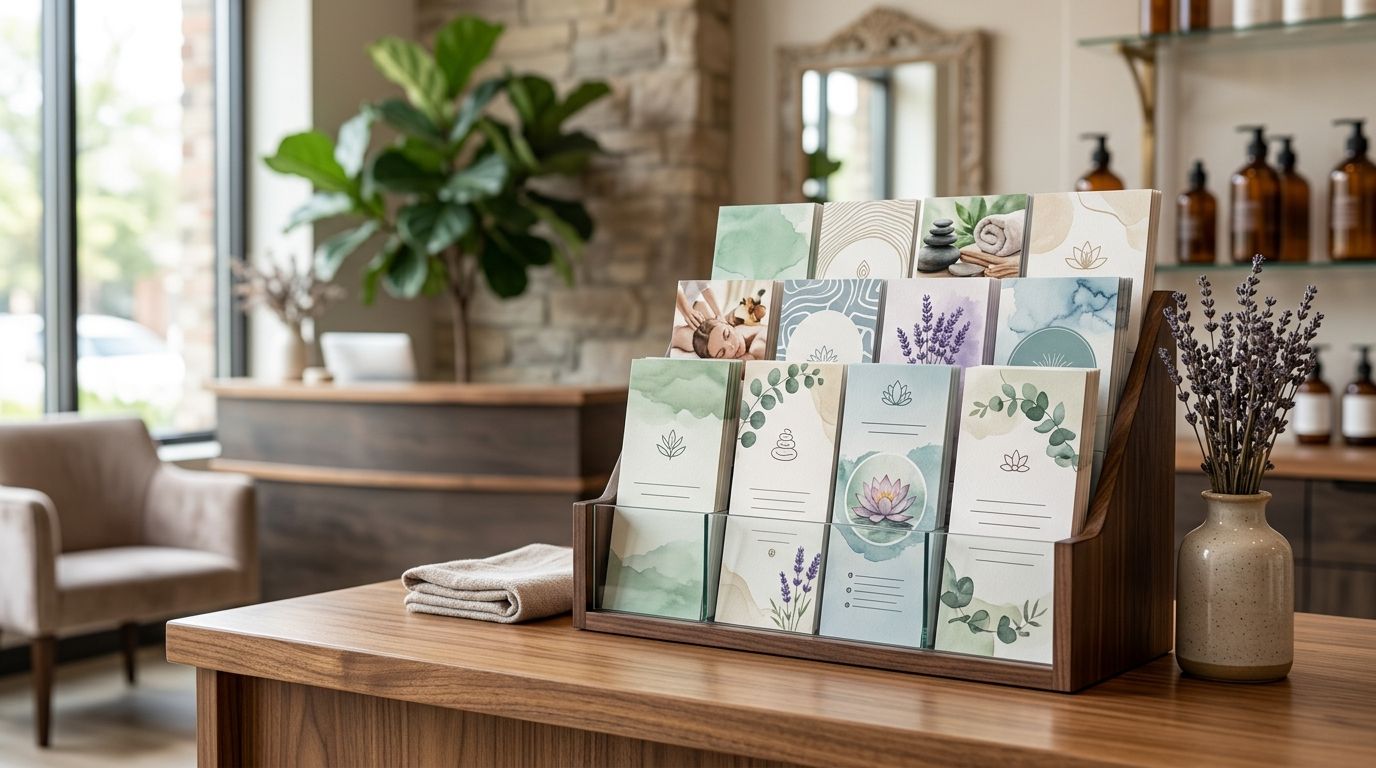
Spa and salon rack card printing is the production of compact promotional cards with the aim of turning attention at reception, checkout and partner locations into bookings. These cards need to explain one treatment or offer quickly while matching the polished experience clients expect from a spa or salon in 2026.
- Rack cards for spas work best when each card promotes one treatment, package or booking action.
- The standard 4 x 9-inch format fits common rack-card holders and provides enough room for focused copy.
- Use the front for the offer and the back for details, booking instructions and required conditions.
- Print Fast is best for Toronto and GTA spas prioritizing rush printing, local support and custom quotes.
- Review every card before each 2026 campaign so outdated services and booking details do not stay on display.
Why rack cards matter for spas and salons
Spa clients already understand the business category. The rack card does not need to explain what a facial, manicure or massage is. It needs to show why a specific treatment deserves attention now and make the next action obvious.
That creates a different design challenge from broad advertising. A rack card displayed at reception competes with appointment conversations, retail shelves, phones and signage. A card placed in a nearby hotel, gym or bridal shop must also make sense without a staff member explaining it.
The format is useful for:
- Introducing a treatment that clients overlook on the main service menu
- Presenting a seasonal package during a defined 2026 campaign
- Supporting gift-card promotion without replacing the full service list
- Giving partner businesses a compact piece to display
- Directing clients to a booking page through a tested QR code
For a related format and distribution plan, review this guide to custom rack cards for tourism and event promotion. The same principles apply when a salon places cards in hotels, event venues or visitor-facing businesses.
Build rack cards for spas step by step
Define one outcome for each card
Start by choosing what the card must accomplish. Do this before selecting photographs, colours or paper because the objective determines the headline, supporting details and call to action.
A card promoting a new treatment needs different copy from one promoting gift cards. Combining both weakens the message and leaves the reader deciding which action matters most. Create separate artwork when two offers serve different client needs.
Use one of these objectives:
- Book one named treatment or treatment category
- Ask about an add-on during the current appointment
- Scan a QR code to view booking information
- Purchase a gift card for a defined occasion
- Contact the salon about a group or event booking
Match the message to the display location
Write for the person who will see the card and the context in which they will see it. Reception visitors already know the salon. People finding the card at a hotel, gym or wedding vendor need the business name, location and service category immediately.
Placement also changes the offer. A treatment-room card can introduce a related add-on, while a checkout card can focus on the next appointment or gift card. A partner-location card should lead with the service and geographic area instead of assuming brand familiarity.
Plan separate versions for:
- Reception areas, where existing clients can discover another service
- Checkout counters, where the next booking is the natural action
- Treatment rooms, where related add-ons have context
- Retail shelves, where the card can support a relevant product category
- Partner businesses, where location and contact details need more space
Prepare print-ready artwork
Build the artwork manually in a design application or an editable template before sending it to production. Confirm the final dimensions with the printer rather than resizing a flyer and hoping it fits the holder.
A common rack-card format is 4 x 9 inches. Print artwork is commonly prepared at 300 dpi in CMYK, with bleed added according to the printer's file requirements. Adobe's print-ready PDF guidance also recommends checking image resolution, colour settings, bleed and margins before export. Keep text and logos inside the confirmed safe area so trimming does not crowd important information.
Print Fast can provide the faster production path once the artwork, quantity and turnaround are confirmed. Its stated service options include 1Hr, Same Day, 24Hr, rush printing, local delivery, live support and custom quotes. Availability for a specific rack-card job still depends on the approved file and current production details.
Complete these artwork checks:
- Set the document to the confirmed finished size
- Use CMYK for print artwork instead of relying on screen colours
- Supply photographs at 300 dpi at their final placed size
- Add bleed based on the printer's current specification
- Keep logos, contact details and QR codes away from trim edges
- Export the file in the format requested for production
Structure the front and back separately
Treat each side as a distinct communication space. The front should earn attention and identify the offer. The back should answer the practical questions that determine whether the reader books.
Do not shrink a complete service menu onto the card. Use a short headline, one supporting image and concise service details. If conditions or exclusions require lengthy explanation, direct the reader to a maintained page where current information can be reviewed.
Build the front with:
- A headline naming the treatment, package or occasion
- One relevant image instead of a collage
- A short explanation of the intended outcome
- The spa or salon name and service area
Build the back with:
- Booking instructions and contact details
- A tested QR code with a plain-text alternative
- Essential conditions that affect the decision
- A clear next step such as book, ask or scan
A printed web address or phone number gives clients another route when they cannot scan the code. This follows the W3C guidance for non-web information, which recommends equivalent text alternatives for non-text content.
Choose a format and finish for the setting
Start with the holder. A standard 4 x 9-inch card is a practical default because it suits common display racks, but the holder should be measured before artwork is approved. A custom size can work on a counter, although it may not fit partner displays.
The finish should match how the card will be used. A coated surface supports image-heavy artwork and can be wiped more easily, while an uncoated section is useful when staff need to write appointment details. Confirm whether the chosen stock and coating can be written on before building that action into the design.
Choose based on these conditions:
- Standard 4 x 9-inch card for common rack holders
- Double-sided card when the offer needs supporting details
- Uncoated writing area when staff add appointment information
- Coated image area when photography is central to the design
- Heavier stock when cards will be handled repeatedly
Proof every decision point
Proof the card as a client would use it, not only as a designer viewing a large monitor. Print a paper mock-up at actual size, place it in the intended holder and step back. The headline, service and next action should remain easy to identify.
Test every QR code from the printed proof. Check that the destination opens on a phone and still contains the current service information. Confirm telephone numbers, spelling, location details and booking instructions with the person responsible for appointments.
Finish the proof with these checks:
- Print the artwork at 100% scale
- Place the mock-up in the actual display holder
- Read the headline from the normal viewing position
- Scan the QR code from the printed copy
- Confirm every contact and booking detail
- Record final approval before production starts
Track response and refresh the offer
Give each card version a trackable action. A unique QR destination, booking code or staff question can show which display location generated interest without changing the core service process.
Review the cards whenever services, staff details, booking links or campaign dates change. A polished card with outdated information creates more friction than no card at all. For 2026 campaigns, set the review date when approving the artwork instead of relying on someone to remember later.
Use these tracking and maintenance tactics:
- Assign a unique QR destination to each distribution location
- Label campaign files with the approval and review dates
- Ask reception staff to record card-related enquiries
- Remove cards as soon as their offer or details expire
- Keep editable source files for the next campaign update
- Compare different headlines without changing every design element
Plan your rack card print job
Discuss artwork, turnaround, stock and local delivery for your Toronto print project.
Compare rack card options for spas
| Option | Best for | Key limitation |
|---|---|---|
| 4 x 9-inch single-sided card | One simple offer displayed in a standard holder | Limited room for conditions and booking details |
| 4 x 9-inch double-sided card | A strong front-facing offer with practical details on the back | The back can become crowded if it replaces the service menu |
| Custom-size flat card | Counter displays with a dedicated holder | May not fit racks used by hotels or partner businesses |
| Folded brochure | Multiple treatment categories that require explanation | Takes more space and loses the quick rack-card format |
| Digital screen message | Reception areas where content changes frequently | Cannot be taken away or displayed by an offline partner |
The 4 x 9-inch double-sided format is the best default for rack cards for spas in 2026. It gives the front one clear promotional job while reserving the back for booking details, location information and a QR code.
Print Fast is best for Toronto and GTA spas that prioritize rush printing, local support and custom quotes. The practical limitation is that fast production cannot correct low-resolution images, outdated copy or an unapproved file; those decisions must be settled before printing.
“The best spa rack card promotes one service, gives one reason to act and presents one clear next step.”
Common rack card mistakes spas and salons make
Turning the card into a complete menu
A compressed service menu forces small type and gives every treatment equal priority. That defeats the purpose of a promotional card. Select one service, package or client need and let the full menu handle everything else.
Leading with the logo instead of the offer
Brand recognition matters, but the client first needs to understand what the card is about. A treatment-focused headline communicates faster than a large logo followed by vague wellness language. Keep the brand visible without making it the only message.
Using vague benefit statements
Phrases about relaxation or confidence can apply to almost any spa. Name the treatment category, intended client and booking action instead. Avoid treatment or medical claims that the salon cannot substantiate.
Sending the QR code to the home page
A QR code should open the most relevant maintained destination available. Sending a reader to a general page forces them to search again for the treatment they just saw. Test the destination before printing and after any website change in 2026.
Hiding critical details in fine print
The service name, location and next action should not require close inspection. Fine print is for necessary conditions, not the main booking information. If the text must be reduced excessively to fit, remove copy or move supporting information online.
Reusing expired campaign cards
Seasonal language, staff names and campaign dates can become inaccurate. Store editable artwork, but review every field before reprinting. Reusing a design is efficient; reusing unverified information is not.
FAQ
What size should rack cards for spas be?
A common rack-card size is 4 x 9 inches. Confirm the holder and printer specifications before approving artwork because custom displays can use different dimensions.
What should a spa rack card include?
A spa rack card should include one service-focused headline, concise details, the business name, location information and one clear booking action. Add a tested QR code when the destination gives the reader a direct next step.
Should a salon print rack cards on both sides?
Double-sided printing is the best default when the offer needs booking details or conditions. Keep the front focused on attention and use the back for practical information.
Can a rack card list every salon service?
A rack card should not replace the full salon service menu. Promote one treatment, package or client need so the reader can understand the message quickly.
Where should spas display rack cards?
Spas can place rack cards at reception, checkout, retail shelves, treatment rooms and relevant partner businesses. Match the message to what the reader already knows in each location.
How should a QR code be used on a rack card?
A QR code should open a current, mobile-friendly destination related directly to the card's offer. Test it from a printed proof and include a plain-text contact option as a backup.
How often should spa rack cards be updated in 2026?
Update rack cards whenever the service, booking process, contact details or campaign dates change. Set a review date during artwork approval so outdated cards are removed promptly.
Can Print Fast handle rush rack card printing in Toronto?
Print Fast offers 1Hr, Same Day, 24Hr and rush custom printing with local delivery, live support and custom quotes. Confirm the current turnaround for the specific rack-card artwork and quantity before approving the job.
One last thing
Design the rack card around a service the client might not discover from the main menu. A card that repeats familiar information becomes background decoration. A card that introduces a relevant treatment, explains who it is for and gives a direct booking action performs a distinct sales role.
Before the 2026 print run starts, place the final proof in the real holder. If the headline, service and action are not immediately clear at normal viewing distance, revise the card before choosing a heavier stock or premium finish. Better hierarchy fixes more communication problems than decorative upgrades.