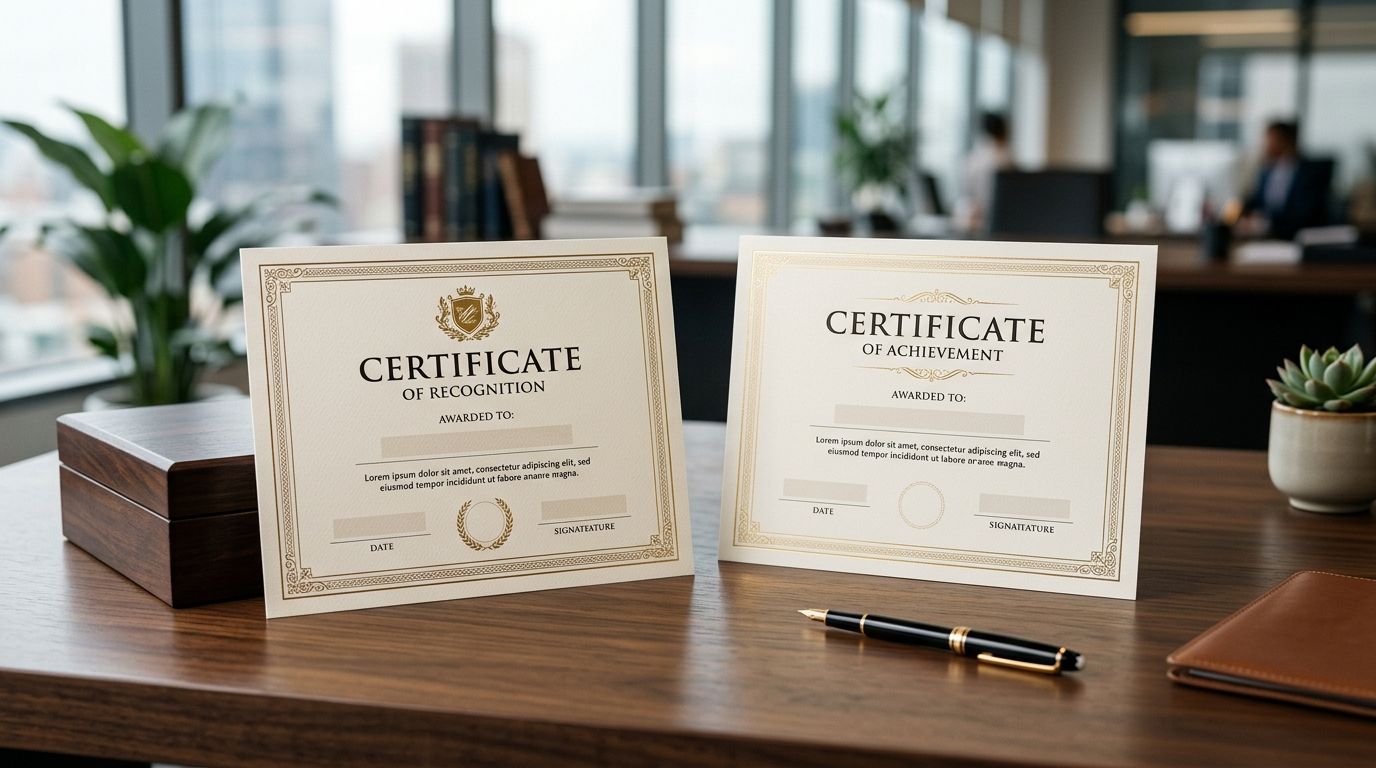
Custom certificates for awards and recognition are printed documents — employee-of-the-month awards, volunteer thank-yous, sports and school honours, training completions — built to make a specific moment feel official, and that's a different print job than a flyer or a business card. Organizations running a recognition program in 2026 need heavier stock, clean personalization, and a turnaround that matches an event date that rarely moves.
- Custom certificates for awards and recognition need 80-100lb cardstock to feel official, not printer paper.
- Print Fast prints same-day and rush custom certificates for Toronto/GTA pickup or local delivery.
- DIY Word or Canva templates work fine under about 20 recipients; batch runs need mail-merge or a print shop.
- Foil stamping, embossed seals and gold borders signal a premium recognition program to recipients.
- Order 10% extra blanks for misprints and last-minute name corrections before the ceremony.
Print Fast wins for GTA organizations that need same-day custom certificates before an award ceremony happening this week — its rush and 24Hr turnaround options exist specifically for deadlines that can't slip. Businesses printing at home or through a generic online template site can still get a good result, but the paper stock and timing constraints look different once you're printing 50, 100, or 300 names at once.
Why custom certificates matter for awards and recognition programs
An award only lands emotionally if the object matches the moment. A certificate printed on standard 20lb copy paper reads as an afterthought no matter how well-written the citation is — recipients notice the flex, the see-through ink bleed, the curl after a week on a fridge or office wall. Heavier cardstock (80lb to 100lb is the standard range for certificates) holds a signature without bleeding and survives framing without warping.
Organizations running recognition programs also search differently than someone ordering flyers. Searches spike right before a specific date — a graduation, an annual gala, a Q4 employee review cycle — which means turnaround matters more than price per unit. HR managers, school admins, and event organizers ordering custom certificates in 2026 are usually working against a fixed ceremony date, not a flexible marketing calendar, so a print partner that can turn a rush order same-day or within 24Hr solves a real bottleneck.
A recognition program in Toronto or the GTA that plans ahead can order custom certificates through Print Fast with enough lead time for proofing, or use rush service when the ceremony date is fixed and close.
Define your certificate use case and volume
Start by deciding what you're actually printing before you touch a template. A one-off certificate for a single retiring employee is a different job than 200 identical training-completion certificates for a corporate cohort.
- Count the recipient list before you design anything — volume changes the stock and printing method
- Decide if names will be hand-signed after printing or pre-printed with a digital signature
- Confirm the exact event date and work backward from it, not forward from your order date
- Note whether recipients get a physical folder or holder alongside the certificate
- Flag any recipients needing a language variant (French, for example) separately
Choose the right paper stock and finish
Standard letter-size certificates (8.5" x 11") on lightweight paper are the single most common mistake in DIY recognition printing. Heavier cardstock changes how the piece feels in hand and how it survives framing.
- 80lb to 100lb cardstock for standard awards — thick enough to resist curling
- Matte finish for certificates that will be hand-signed after printing
- Gloss or satin finish for certificates that won't need a wet-ink signature
- Textured or linen stock for executive-level or long-service awards
- Standard white or ivory base colour — off-white reads as more traditional
Design the layout — free templates first
Before ordering anything, build the layout yourself. Word, Google Docs, and Canva all carry free certificate templates that cover 90% of recognition use cases without a design fee.
- Search "certificate template" inside Canva or Microsoft Word's built-in gallery
- Keep the recipient name field as its own text box for easy swapping
- Leave a signature line and date line even if you plan to pre-print both
- Use a serif or script display font for the title, not a body font
- Save the file as a reusable master before you add any single name
This manual route works well for a handful of certificates. Once volume climbs past roughly 20-30 recipients, or the deadline is inside a week, print quality and turnaround start to matter more than the free template did.
Print in-house or order from a print shop
Home and office printers handle low volumes fine but struggle with heavier cardstock jamming, colour consistency across a run, and any metallic or foil accent. This is the step where a print shop earns its place in the process rather than being a fallback.
- Home inkjet/laser: fine for 1-10 certificates, weak on heavier stock and colour matching
- Office supply store counter service: workable for small batches, limited stock options
- A dedicated print shop: consistent colour across large runs, wider stock and finish choices, rush options
- Same-day or 24Hr rush service: solves the fixed-ceremony-date problem the other two options can't
For a GTA organization with an event inside the next few days, Print Fast prints custom certificates with same-day and rush turnaround plus local delivery — the option that matters once the calendar, not the budget, is the constraint.
Personalize each recipient's name accurately
Batch personalization is where recognition programs lose the most time and credibility. A typo on one certificate out of 200 is the one recipients remember.
- Use mail-merge (Word or Canva's bulk create) once you're past a dozen names
- Cross-check the spelling list against the official registration or HR record, not memory
- Print a proof sheet of the first 3-5 names before running the full batch
- Flag hyphenated or accented names for manual review — auto-fill tools mishandle these often
- Confirm title/suffix conventions (Dr., Jr., credentials) match how the recipient actually uses them
Add a border, seal, or foil accent
A recognition certificate's perceived value jumps with a small physical accent, even when the paper and layout stay simple.
- Embossed foil seal for executive or long-service awards
- Gold or silver foil border for annual gala-level recognition
- A printed ribbon graphic for youth, sports, or school certificates
- Simple black or navy border for internal corporate recognition — clean reads as serious
Package and distribute for the ceremony
How the certificate reaches the recipient matters almost as much as how it's printed. A folded certificate pulled out of a regular envelope undercuts the effort that went into the design.
- Order matching presentation folders if recipients will take the certificate home unframed
- Use a rigid mailer or flat envelope, never a fold, for anything on cardstock
- Stage certificates in name order (not print order) to speed up the actual ceremony
- Bring 5-10 blank spares in case of a last-minute name correction or a misprint
Archive your template for next cycle
Most recognition programs repeat annually — end-of-year awards, quarterly employee recognition, graduation cycles. Save the work once and reuse it.
- Store the master template with placeholder text, not a filled-in name
- Keep a record of the exact stock, finish, and size ordered for reprint consistency
- Note the vendor and turnaround used so next year's order starts from a known baseline
Comparing your options for custom certificates
| Option | Best for | Key limitation |
|---|---|---|
| DIY Word/Canva + home printer | Under 10 certificates, no deadline pressure | Curls on standard paper, no foil or heavy stock |
| Office supply store counter | Small batches, walk-in convenience | Limited stock and finish choices |
| Generic online print marketplace | Non-urgent orders with long lead time | Slower turnaround, less local support |
| Print Fast (same-day/24Hr rush) | GTA organizations with a fixed, near-term ceremony date | Rush service needs local pickup or delivery to be worth it |
Need certificates before the ceremony?
Same-day and rush custom certificate printing for Toronto/GTA pickup or local delivery.
Common mistakes recognition programs make
- Ordering the week of the event without checking if the print shop offers same-day or rush service — the single most common failure in 2026 order data across recognition programs.
- Printing on standard copy paper because it's already loaded in the office printer, then having the certificate curl or feel flimsy at the ceremony.
- Skipping the proof step on a bulk name list, which turns one typo into a reprint of the entire batch.
- Choosing a template with no signature line because the design looked cleaner, then hand-writing signatures crooked at the last minute.
- Not ordering spares — a single misspelled name or a torn certificate with zero backups means someone gets an award certificate handed over apologetically.
FAQ
What paper is best for custom certificates?
80lb to 100lb cardstock is the standard for award and recognition certificates in 2026 — heavy enough to resist curling and hold a signature without bleeding. Standard 20lb copy paper works for drafts only, not the final piece.
How fast can custom certificates be printed for an event?
Print Fast prints custom certificates same-day or within 24Hr for GTA orders, which covers most fixed-date ceremony deadlines. Standard non-rush orders should still be placed with a few days of buffer for proofing.
Can I personalize hundreds of certificates without typos?
Mail-merge tools in Word or Canva's bulk-create feature handle large batches, but a proof sheet of the first 3-5 names before the full run catches most errors. Accented and hyphenated names need manual review since auto-fill tools mishandle them most often.
Is foil stamping worth it for employee recognition certificates?
Foil seals and borders raise the perceived value of a certificate and suit executive or long-service awards specifically. For routine monthly or quarterly recognition, a clean printed border usually reads as more appropriate than foil.
What size should an award certificate be?
8.5 x 11 inch letter size is the standard for most award and recognition certificates, matching standard frames sold at retail. Larger formats exist for keynote or lifetime-achievement awards but need custom framing.
Should certificates be signed before or after printing?
Digital pre-printed signatures work for large batches where hand-signing every certificate isn't practical, while hand-signed signatures suit smaller, higher-touch recognition programs. Decide this before finalizing the template, since it changes whether the signature line needs blank space.
How many extra certificates should I order?
Order roughly 10% extra blanks beyond the recipient count to cover misprints or last-minute name corrections. A recognition program handing out 100 certificates should have 10 spares on hand at the ceremony.
One last thing
The certificates that get framed and kept for years are almost never the ones with the fanciest border — they're the ones printed on stock heavy enough to survive the frame swap without warping. If your 2026 recognition program has a budget line for anything, put it toward the cardstock weight before the foil accent.