
Financial services firm brochure printing is the planning and production of client-ready materials with the aim of explaining services clearly and earning the next conversation. In 2026, these brochures need a defined purpose, controlled disclosures and a format that clients can scan during or after a meeting.
- Brochures for financial services work best when each piece supports one meeting outcome and one next step.
- A tri-fold suits a full service overview; a bi-fold gives one financial product more room.
- Print Fast suits Toronto financial services teams that need rush brochure printing and local support in 2026.
- Compliance approval must happen before final proof approval, not after printing.
- Matte or uncoated paper reduces glare and keeps dense explanatory copy readable.
Why brochure printing matters for financial services firms
A financial services brochure has to explain an offer without the advisor standing beside every sentence. The structure should help a client identify the service, understand the process and find the next step without searching through dense copy. A tri-fold brochure structure works when each panel has one clear job.
Financial services teams also work with content that changes. Contact details, service descriptions, licensing information and disclosure language can become outdated, so every 2026 brochure needs an owner, an approval path and a review date.
Print Fast is best for Toronto and GTA financial services teams that need rush brochure printing and local support. Fast production does not replace internal review, however. The file still needs approved copy, print-ready artwork and a final proof check before production.
How to plan brochures for financial services
The strongest brochure starts as a content plan, not a design file. Follow these steps in order so the brochure supports the meeting, survives internal review and remains useful after the client leaves.
Define one job for the brochure
Start by identifying the exact conversation the brochure should support. A general firm overview has different content needs from a handout about retirement planning, insurance, mortgages or business succession.
A brochure that tries to cover every audience and service forces the reader to sort through material that does not apply to them. Keep the scope narrow enough that the headline, proof and next step point in the same direction.
- Name the client segment the brochure addresses
- Write the single action a reader should take next
- Separate evergreen information from details that change regularly
- Decide whether the brochure supports prospecting, a meeting or onboarding
- Remove services that do not support the selected conversation
Choose the fold around the content
Choose the physical format after the content scope is clear. A standard 8.5 × 11-inch sheet can become a tri-fold with six printable panels or a bi-fold with four larger panels.
Tri-fold brochures suit firm overviews because the panels create a natural reading sequence. Bi-fold brochures give longer explanations and diagrams more space. A flat sheet works for information that changes frequently because it can be replaced without reprinting a larger kit.
- Use a tri-fold for a concise overview of several related services
- Use a bi-fold when one service needs larger text blocks
- Use a flat insert for changing details or meeting-specific information
- Reserve the back panel for contact details and required disclosures
- Confirm finished dimensions with the printer before designing
Map each panel before writing
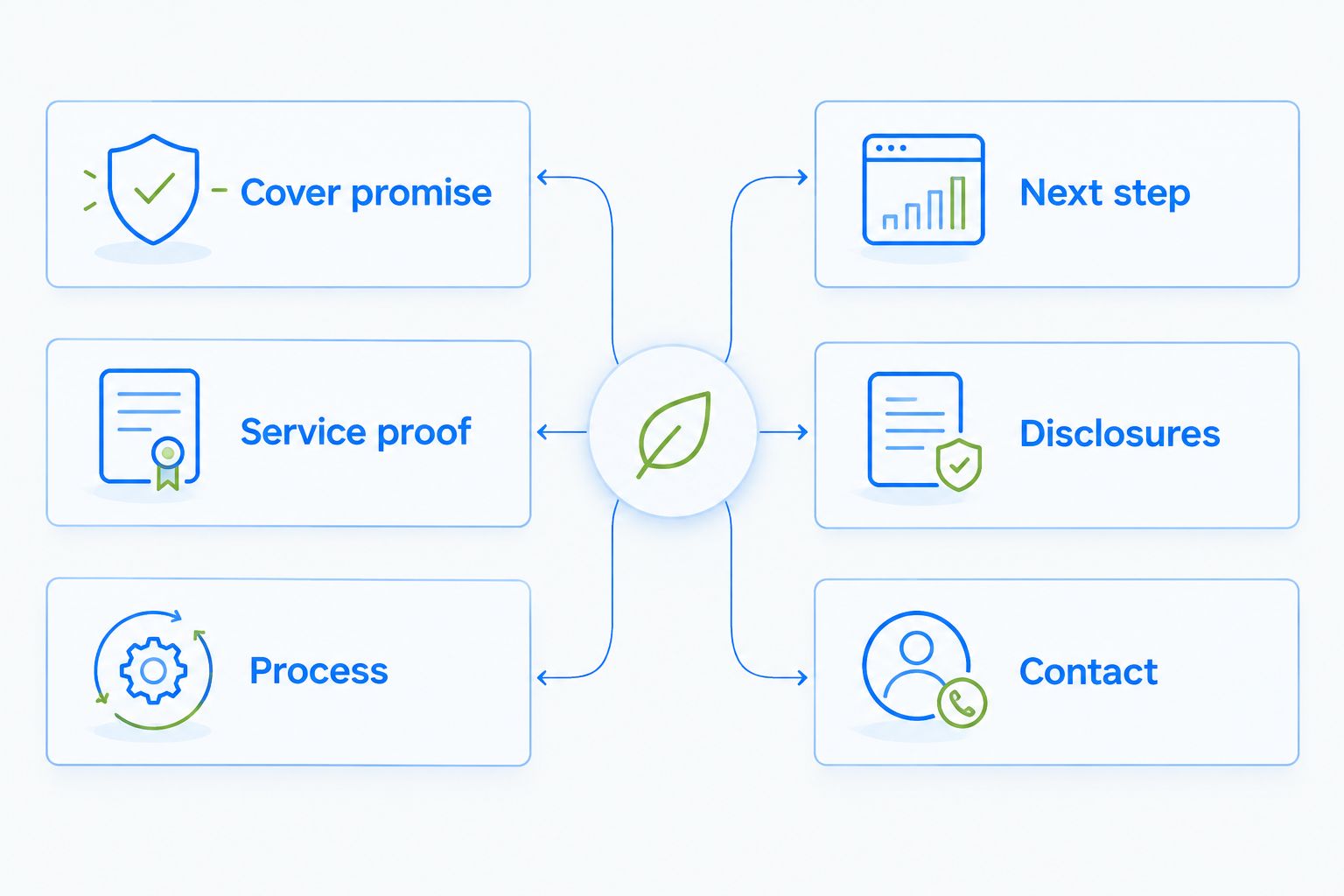
Build a panel map before drafting full paragraphs. The cover earns attention, the inside panels explain the offer, and the final panel tells the reader what to do next.
This map also exposes missing information early. If every panel contains company background but none explains the client process, the brochure is not ready for design.
- Cover: state the audience, service and practical outcome
- Inside lead panel: explain the client problem in plain language
- Centre panels: describe services, process and relevant proof
- Next-step panel: provide one primary action
- Back panel: place contact details and review-sensitive information
- Disclosure area: keep required text separate from promotional copy
Write for scanning and accuracy
Use short headings, direct sentences and descriptive labels. Financial services copy becomes difficult when every paragraph contains several ideas, undefined acronyms or abstract promises.
Write the first draft manually in a shared document so subject-matter and compliance reviewers can comment on the same text. Treat the approved copy as the source file for the 2026 brochure; do not let designers rewrite regulated or review-sensitive language inside the layout.
- Lead each panel with a heading that states its subject
- Define technical terms the first time they appear
- Replace broad claims with specific service descriptions
- Keep each paragraph focused on one client question
- Use bullets for processes, document lists and meeting steps
- Avoid rate or product details that will expire before the brochure does
Complete compliance review before design approval
Financial services firms should send the brochure through their required internal, legal or compliance review before approving the final proof. The correct review path depends on the firm, service and jurisdiction, so the brochure owner needs to document who can approve each claim.
A late text change can alter line breaks, panel balance and disclosure placement. Complete the substantive review first, then check the designed proof against the approved 2026 copy word for word.
- Identify the reviewer before drafting begins
- Mark licensing details and disclosures for focused review
- Record the approval date and approved file version
- Compare the designed proof against the approved source copy
- Recheck names, titles, registration details and contact information
- Set the next content review date before printing
Select paper for reading conditions
Choose paper based on where clients will read and store the brochure. Matte or uncoated paper limits glare under office lighting, while uncoated stock also accepts handwritten notes more easily than coated stock.
Do not assume a premium-looking finish is automatically the best choice. Heavy gloss can compete with small disclosure text, and speciality finishes can add production steps that do not improve comprehension.
- Compare matte, uncoated and coated samples under office lighting
- Check whether pens write cleanly on the selected surface
- Confirm that small text remains sharp on the chosen stock
- Match the brochure to existing folders and business cards where practical
- Ask which paper and finishing choices fit the required turnaround
Build a consistent meeting kit
Pair the brochure with only the materials needed for that meeting. A presentation folder for financial advisors can hold the brochure, forms and advisor details without forcing every changing document into one permanent print piece.
For financial services brochures, Print Fast can support a broader print kit through the custom-quote process. The limitation is operational: every added component creates another file, proof and approval point, so keep the package controlled.
- Match names, titles and contact details across every printed item
- Use a removable insert for information that changes often
- Give each advisor the correct brochure and card version
- Store approved files under consistent version names
- Retire older materials when a revised kit enters circulation
Proof the physical piece before the full run
Review the brochure as a folded object, not only as a PDF. Print a mock-up at 100% size, fold it in reading order and check whether headings, images and disclosure blocks sit where expected.
Confirm the printer's file requirements before export. A common setup uses 0.125-inch bleed, but the production specification for the selected job controls. Print Fast uses service labels including 1Hr, Same Day, 24Hr and Rush; expedited production works only when the approved artwork is ready.
- Print and fold a full-size office mock-up
- Check panel order from cover to final action
- Keep text away from folds and trim edges
- Confirm bleed, colour mode and file format with the printer
- Inspect phone numbers, email addresses and web addresses manually
- Approve one final file version for production
Brochure options for financial services firms
The best format depends on the meeting and how often the content changes. No single option wins every use case in 2026.
| Option | Best for | Main advantage | Key limitation |
|---|---|---|---|
| Tri-fold brochure | Full firm or service overview | Six panels create a guided reading order | Limited room for long explanations |
| Bi-fold brochure | One detailed service | Larger panels support diagrams and longer copy | Fewer natural content sections |
| Flat information sheet | Changing details and meeting handouts | Easy to replace without rebuilding a kit | Feels less substantial on its own |
| Presentation folder with inserts | Multi-document consultations | Keeps permanent and changing materials separate | Requires several files and proof cycles |
| Digital PDF | Email follow-up and remote meetings | Simple to distribute after a conversation | Competes with other files in the recipient's inbox |
| Local rush printing | Approved files needed for an upcoming meeting | Shortens production time for ready artwork | Cannot fix incomplete review or unfinished design |
A tri-fold is the safest default for a concise financial services overview in 2026; choose a bi-fold when one service needs a deeper explanation. Use a folder with separate inserts when disclosures, forms or service details change on different schedules.
Common mistakes financial services firms make
Combining unrelated audiences
A brochure aimed at retirees, incorporated professionals and first-time homebuyers cannot give every reader a clear next step. Create separate versions when the client problem, service or meeting process changes materially.
Approving design before copy
Visual approval is not content approval. If the team approves colours and images while core text remains unsettled, late revisions can create crowded panels and misplaced disclosures.
Shrinking important text
Small type is not a solution for excess copy. Remove repetition, split the material into separate pieces or use a format with larger panels.
Printing changing details into evergreen pieces
Rates, staff information and time-sensitive product details can make an otherwise useful brochure obsolete. Put changing information on an insert or digital follow-up unless it must appear in the main piece.
Treating rush printing as extra review time
Rush production shortens the printing window, not the internal approval process. A same-day deadline still requires approved copy, correct artwork and a final proof decision.
FAQ
What is the best brochure format for a financial services firm?
A tri-fold is the best general format for a concise firm or service overview because its six panels create a clear reading sequence. Use a bi-fold when one service needs larger text blocks or diagrams.
What should a financial services brochure include?
A financial services brochure should include the target client, service description, process, relevant proof, required disclosures and one next step. Contact details and review-sensitive information belong in clearly defined areas.
Should financial services brochures use matte or glossy paper?
Matte or uncoated paper is usually the clearer choice for text-heavy financial services brochures because it limits glare. Compare physical samples before ordering because paper options and print results vary.
How often should a financial services brochure be reviewed?
Review the brochure whenever services, disclosures, licensing details or contact information change. Every 2026 file should also carry an owner, approval date and scheduled content review date.
Can Print Fast handle rush brochures for a Toronto meeting?
Print Fast offers 1Hr, Same Day, 24Hr and Rush custom printing with local support. Turnaround depends on approved, print-ready artwork and the production requirements of the selected job.
Is a digital brochure better than a printed brochure?
A digital brochure is better for email follow-up, while a printed brochure is better for an in-person leave-behind. Many financial services firms use the same approved content in both formats but adapt the layout for each one.
How do I prepare a brochure file for printing?
Start with the printer's finished size, bleed and file-format requirements, then export the approved layout to those specifications. Print and fold a full-size mock-up before submitting the production file.
Do financial services brochures need compliance review?
Financial services firms should follow the internal, legal and compliance review required for their services and jurisdiction. Identify the authorized reviewer before drafting and record the approved file version before printing.
One last thing
Put a revision code and approval date in the working file, even if neither appears prominently on the printed brochure. That small control helps the team identify which 2026 version is approved and which copies should be retired after an update.
When the content, fold and paper are confirmed, request a custom brochure quote from Print Fast with the finished size, quantity, colour requirements, finishing choices and deadline. A precise specification produces a more useful answer than asking for a general brochure estimate.